


Hyvä Theme for Magento 2: Uncover Powerful Features – Evaluate Pros and Cons
16 Jul 2024
 Paren Sutreja

Essential Features of the Hyvä Theme
The Hyvä theme is not just another approach to building a Magento 2 storefront. It’s a unique solution that prioritizes performance and a streamlined development experience. Here’s a breakdown of what sets Hyvä apart and what it offers.
Reduced Complexity and Build-from Scratch
When considering Hyvä themes and reduced complexity, there are two essential aspects to keep in mind.
1. Removal of Unnecessary Frameworks
Traditional Magento themes often rely on frameworks such as RequireJS, KnockoutJS, and UIComponents. While these frameworks add functionality, they can also increase complexity for developers. Hyvä eliminates these frameworks entirely. Instead, it uses:
- Alpine.js or Vanilla JavaScript: Lightweight JavaScript libraries that provide basic interactivity without the overhead of larger frameworks.
- Familiar Magento Elements: Hyvä retains concepts like layout.xml, blocks, and viewModels that experienced Magento developers already know. This reduces the learning curve and accelerates development.
The result is a much cleaner codebase that is easier to understand, modify, and maintain.
2. Rebuilding the Frontend
Hyvä does not modify the existing Magento Luma theme. Instead, it builds the entire frontend from scratch using the core Magento templating system. This approach offers several benefits:
- Reduced Code: Hyvä eliminates unnecessary code from the default theme, resulting in a much smaller codebase. Less code means fewer potential issues and a faster website.
- Focus on Performance: By rebuilding from scratch, Hyvä can optimize everything for speed. It loads only the essential code, leading to faster page loads and a better user experience.
- Clean Slate: Building from scratch allows for a more modular and flexible theme structure, giving developers more control over the overall design and functionality.
Hyvä’s ‘reduced complexity’ and ‘built from scratch’ aspects are not just technical jargon. They work together to create a leaner, faster, and more developer-friendly Magento storefront. Let’s delve into how these aspects benefit you.

Outstanding Performance
Hyvä themes for Magento 2 are not just known for exceptional performance. They achieve this through a lean codebase, modern technologies like Alpine.js or Vanilla JS, and optimized rendering for faster perceived load times. This results in significantly better Core Web Vitals scores than traditional Magento themes, leading to a faster, more responsive website and improved SEO.
Accelerated Time-to-Market
Hyvä is designed with familiar PHP frameworks, empowering existing Magento developers with a remarkable 30 to 50% reduction in project development time compared to default Magento themes or PWA solutions. This efficiency accelerates the launch of eCommerce projects, leading to significant time and cost savings.
Support and Community
Hyvä offers robust support through channels like Slack, fostering a sense of community and collaboration among its users. Numerous agencies trust it for its performance-enhancing capabilities.
Many Magento agencies have adopted Hyvä and recommend it to their clients. This strongly indicates Hyvä’s effectiveness and growing popularity within the Magento community. These agencies likely appreciate the performance gains and development experience that Hyvä offers.
Hyvä Theme Pros And Cons
Pros
- Optimal for Software Developers: Hyvä makes development easier by eliminating complex elements like RequireJS, Knockout, and UI Components, which makes it more enjoyable for developers. It also includes a simple theme builder and uses flexible frameworks, further simplifying development.
- SEO Optimization: Hyvä’s dedication to faster websites leads to heightened user experiences, amplified conversion rates, and enhanced SEO rankings, resulting in a substantial reduction in page loading times compared to Magento Luma.
- Easy to Adjust: Hyvä is an ideal solution for Magento 2 store proprietors seeking to rejuvenate their stores without reinstalling and reconstructing all custom functionalities. Furthermore, its compatibility with specific legacy modules augments its flexibility.
- Maximize Resource Efficiency, Reduce Costs, and Expedite the Time-to-Market: It makes UI development easier by reducing development hours and costs, making the development process faster and more cost-effective.
- Strong Supportive Community: Hyvä’s thriving community and Slack channel provide a space for users to exchange ideas and seek support, fostering growth and collaboration.
- Work Seamlessly on All Devices: Hyvä themes are designed to adapt seamlessly to different devices so you can enjoy a great experience wherever you are.
Cons
- License Costs: Hyvä is not fully open source and requires a one-time payment of €1,000 per license, which is about $1,063 – $1,073 US dollars. Merchants can use it on a single instance of Magento 2.
- Limited Compatibility with Magento Versions: Hyvä requires Magento version 2.4 or higher, without exceptions, potentially necessitating additional work for users on older Magento versions.
- Limited Assistance with Third-Party Extensions: Some third-party extensions may not be compatible with Hyvä due to its removal of dependencies, requiring significant modifications to work.
- Design Limitations: Hyvä prioritizes speed, which may limit design options for stores with complex banners and effects.
Hyvä Theme vs. Alternatives
Hyvä vs. Luma Magento Theme
Design and Customization
- Hyvä Theme: Hyvä offers advanced customization options for sellers who prefer a polished, straightforward aesthetic without excessive complexity.
- Luma Theme: Luma offers extensive customization and design flexibility for businesses seeking a unique appearance that aligns with their brand image.
Performance and Loading Speed
- Hyvä Theme: With its exceptional page loading speed, Hyvä is the ideal choice for boosting user experience and SEO rankings, particularly for sellers focusing on fast-loading pages.
- Luma Theme: Luma is optimized for performance but does not match Hyvä’s speed, making it less favorable for those considering loading speed critical.
Mobile friendly
- Hyvä Theme: With its highly mobile-friendly design, Hyvä guarantees optimal functionality across all devices, emphasizing mobile optimization strongly.
- Luma Theme: Also mobile-responsive, Luma adapts to different screen sizes, though Hyvä might have an edge in mobile optimization.
Community Support
- Hyvä Theme: Although it is relatively new, Hyvä has established a thriving community for support and idea exchange.
- Luma Theme: Embedded within Magento, Luma enjoys the advantage of a vast user base, which can lead to faster issue resolution and access to abundant resources.
Additional Features
- Hyvä Theme: Discover the platform, which offers multi-language and multi-currency support, a blog module, and other features to enhance user experience and expand market reach.
- Luma Theme: Features a user-friendly checkout process and provides access to a vast library of Magento extensions and plugins.
Hyvä Theme vs. PWA
The choice between Hyvä and PWA (Progressive Web App) depends on your specific eCommerce needs and priorities.
- Hyvä Theme: If you value a faster website, reduced development time, and a clean, user-friendly design, Hyvä is a strong choice for simplifying Magento frontend development and prioritizing performance.
- PWA: A Progressive Web App (PWA) offers a thorough approach to web development. PWAs are known for providing great user experiences, working offline, and being compatible across different platforms. Choosing a PWA might be the better option if you want to create a modern and highly engaging web application.
Your decision should align with your goals, budget, and technical capabilities. Some businesses may benefit from combining both aspects, such as using the Hyvä theme within a PWA framework, which offers the best of both worlds.
ioVista’s Hyvä Theme Development Service
ioVista is a leading expert in eCommerce website development, specializing in Magento. We create high-performance, user-friendly online stores using the powerful and speedy Hyvä theme.
ioVista’s key strengths include:
- Expertise in Magento: They have extensive experience and knowledge in Magento, enabling them to fully utilize the potential of the Hyvä theme within the Magento ecosystem.
- Simplified Development: Recognizing the need for efficient development processes, they use the simplicity of the Hyvä theme to speed up project timelines while maintaining high quality.
- Performance Optimization: Their dedication to improving website performance aligns with the Hyvä theme’s focus on fast loading times, resulting in exceptional user experiences.
- Mastery of customization: Hyvä Theme Development Service excels in tailoring the Hyvä theme to meet its clients’ unique branding and functional requirements.
- SEO Focus: They understand the importance of SEO for online success and ensure their clients’ websites achieve higher search engine rankings and visibility by using the SEO-friendly features of the Hyvä theme.
- Responsive Design: In an era of thriving mobile commerce, responsive design is a priority. Websites built with the Hyvä theme ensure a seamless shopping experience across all devices.
- Client-Centric Approach: Hyvä Theme Development Service focuses on collaborating closely with clients to deliver tailored solutions that drive growth.
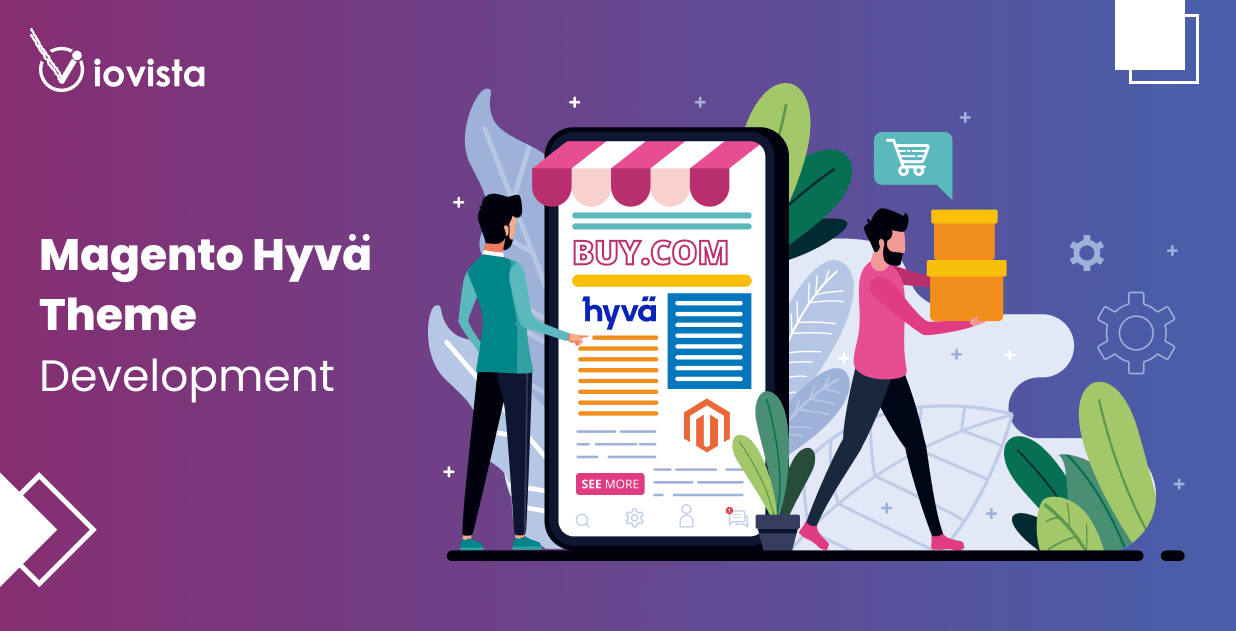
Hyvä themes offer a significant advantage for Magento 2 stores looking to prioritize website speed and efficient development. Its lightweight architecture, modern approach, and focus on core functionalities result in exceptional performance and faster time-to-market. Contact us to get started on your Hyvä implementation.
Paren Sutreja

Paren Sutreja is an experienced Magento 2 Hyvä developer with over 8 years of expertise in eCommerce solutions and web development. He holds major Adobe certificates, including Commerce Cloud & front-end expertise. Specializing in the Hyvä theme for Adobe Commerce, he has developed a deep understanding of HTML, CSS, JavaScript, and the Magento 2 platform. His portfolio showcases a diverse array of projects, from small business websites to large-scale eCommerce solutions. He excels in transforming complex requirements into intuitive and engaging user interfaces, always with a keen eye on enhancing user experience and driving conversions. His expertise in Adobe Commerce allows him to implement best practices, optimize performance, and ensure the scalability of the websites he develops.
Popular Posts
-
 Adobe Commerce, E-Commerce, Magento, News
Adobe Commerce Security Update APSB25-50: Key Highlights
Paren Sutreja
11 Jun 2025 -
 Adobe Commerce, E-Commerce, Magento, News
B2B Excellence Starts with Adobe Commerce (Magento) - Not WooCommerce
Paren Sutreja
03 Jun 2025 -
 Adobe Commerce, E-Commerce, Magento, News
AI and ML in B2B: A Vision for the Future of Commerce by 2025
Paren Sutreja
27 May 2025 -
 Adobe Commerce, E-Commerce, Magento, News
20 Next-Gen B2B eCommerce Features that will Dominate in 2025
Paren Sutreja
20 May 2025 -
 Adobe Commerce, E-Commerce, Magento, News
WooCommerce to BigCommerce Migration Fuels Your B2B eCommerce Growth
Paren Sutreja
06 May 2025 -
 Adobe Commerce, E-Commerce, Magento, News
Adobe Commerce SaaS: How Will It Empower Your eCommerce Business?
Paren Sutreja
22 Apr 2025 -
 Adobe Commerce, E-Commerce, Magento, News
Leverage ERP Integration to Scale Your B2B eCommerce Business in 2025
Paren Sutreja
15 Apr 2025 -
 Adobe Commerce, E-Commerce, Magento, News
Adobe Commerce Security Update APSB25-26: All You Need to Know
Paren Sutreja
10 Apr 2025 -
 Adobe Commerce, E-Commerce, Magento, News
Adobe Commerce 2.4.8 Release: Key Highlights
Paren Sutreja
10 Apr 2025 -
 Adobe Commerce, E-Commerce, Magento, News
Why Scaling Business Should Migrate WooCommerce Stores to Shopify
Paren Sutreja
08 Apr 2025 -
 Adobe Commerce, E-Commerce, Magento, News
Why Does Adobe Commerce (Magento) Lead the Way of B2B eCommerce
Paren Sutreja
18 Mar 2025 -
 Adobe Commerce, E-Commerce, Magento, News
10 Key Drivers of Digital Transformation in B2B eCommerce for 2025
Paren Sutreja
04 Mar 2025 -
 Adobe Commerce, E-Commerce, Magento, News
5 Leading eCommerce Platforms to Build Scalable B2B Customer Portals
Paren Sutreja
25 Feb 2025 -
 Adobe Commerce, E-Commerce, Magento, News
Google Search Ranking Volatility: All You Need to Know
Paren Sutreja
18 Feb 2025 -
 Adobe Commerce, E-Commerce, Magento, News
Adobe Commerce Security Update APSB25-08: All You Need to Know
Paren Sutreja
13 Feb 2025 -
 Adobe Commerce, E-Commerce, Magento, News
7 Strategic Benefits of an Online B2B Customer Portal
Paren Sutreja
11 Feb 2025 -
 Adobe Commerce, E-Commerce, Magento, News
What Makes a Great Online B2B Customer Portal? Top 10 Features to Know
Paren Sutreja
04 Feb 2025 -
 Adobe Commerce, E-Commerce, Magento, News
Legacy B2B eCommerce Systems Slowing You Down? It's Time for Modernization
Paren Sutreja
28 Jan 2025 -
 Adobe Commerce, E-Commerce, Magento, News
80% of B2B Businesses Are Holding You Back by Legacy eCommerce Systems. Is Yours One of Them?
Paren Sutreja
15 Jan 2025 -
 Adobe Commerce, E-Commerce, Magento, News
Essential B2B Commerce Features for 2024
Paren Sutreja
20 Nov 2024 -
 Adobe Commerce, E-Commerce, Magento, News
Security Update Available for Adobe Commerce | APSB24-90
Paren Sutreja
20 Nov 2024 -
 Adobe Commerce, E-Commerce, Magento, News
Why Choose Hyvä Enterprise for Your Adobe Commerce Store?
Paren Sutreja
19 Nov 2024 -
 Adobe Commerce, E-Commerce, Magento, News
Security Update APSB24-73 for Adobe Commerce: Everything You Need to Know
Paren Sutreja
14 Oct 2024 -
 Adobe Commerce, E-Commerce, Magento, News
CosmicSting Exploit Still Poses a Threat
Paren Sutreja
25 Jul 2024 -
 Adobe Commerce, E-Commerce, Magento, News
CosmicSting: Unauthorized XXE Vulnerability
Paren Sutreja
17 Jul 2024 -
 Adobe Commerce, E-Commerce, Magento, News
Hyvä Theme for Magento 2: Uncover Powerful Features – Evaluate Pros and Cons
Paren Sutreja
16 Jul 2024 -
 Adobe Commerce, E-Commerce, Magento, News
Magento 2.4.7: Explore the Newest Enhancements and Features
Paren Sutreja
30 Apr 2024 -
 Adobe Commerce, E-Commerce, Magento, News
Magento 2.4.6-p5: Enhancing Stability and Security
Paren Sutreja
22 Apr 2024 -
 Adobe Commerce, E-Commerce, Magento, News
Everything You Need To Know About eCommerce SEO in 2024
Paren Sutreja
16 Apr 2024 -
 Adobe Commerce, E-Commerce, Magento, News
The Impact of Site Speed on eCommerce SEO Performance
Paren Sutreja
14 Feb 2024 -
 Adobe Commerce, E-Commerce, Magento, News
ioVista Attains B2B Specialization on BigCommerce
Paren Sutreja
30 Oct 2023 -
 Adobe Commerce, E-Commerce, Magento, News
5 Ways to Boost eCommerce Sales in 2024
Paren Sutreja
21 Sep 2023 -
 Adobe Commerce, E-Commerce, Magento, News
It’s Official: ioVista Has Become a Recognized Adobe Specialized Partner
Paren Sutreja
05 Sep 2023 -

-
 Adobe Commerce, E-Commerce, Magento, News
Why Are You Still Using Yahoo Stores in 2023?
Paren Sutreja
05 Jul 2023 -
 Adobe Commerce, E-Commerce, Magento, News
ioVista Announced as a 2023 Local Excellence Award Winner by UpCity
Paren Sutreja
09 May 2023 -
 Adobe Commerce, E-Commerce, Magento, News
Google Analytics 4: What You Need To Know
Paren Sutreja
29 Mar 2023 -

-
 Adobe Commerce, E-Commerce, Magento, News
Questions You Should Ask Your Magento Agency
Paren Sutreja
17 Feb 2023 -
 Adobe Commerce, E-Commerce, Magento, News
7 Proven Strategies to Increase B2B/Wholesale eCommerce Revenue
Paren Sutreja
01 Feb 2023 -
 Adobe Commerce, E-Commerce, Magento, News
10 eCommerce Trends to Increase your Sales in 2023
Paren Sutreja
12 Jan 2023 -
 Adobe Commerce, E-Commerce, Magento, News
B2B eCommerce Features Your Store Need in 2023
Paren Sutreja
05 Jan 2023 -
 Adobe Commerce, E-Commerce, Magento, News
Adobe/Magento Highlights 2022 - Is your store Up-to-Date
Paren Sutreja
20 Dec 2022 -
 Adobe Commerce, E-Commerce, Magento, News
BigCommerce Releases StagingPro for Enterprise Merchants and Agency Developers
Paren Sutreja
15 Dec 2022 -
 Adobe Commerce, E-Commerce, Magento, News
Adobe discontinues Support for the 2.4.0-2.4.3 Release Line
Paren Sutreja
09 Dec 2022 -
 Adobe Commerce, E-Commerce, Magento, News
BFCM Round-Up – Get Your Store Ready for Christmas 2022!
Paren Sutreja
07 Dec 2022 -
 Adobe Commerce, E-Commerce, Magento, News
Universal Analytics Going Away: What Does it Mean, What you need to Do?
Paren Sutreja
24 Nov 2022 -
 Adobe Commerce, E-Commerce, Magento, News
40% of Magento and Adobe Commerce Websites at Risk in November 2022
Paren Sutreja
17 Nov 2022 -
 Adobe Commerce, E-Commerce, Magento, News
Website Support: How Can ioVista Help keep your Store Up and Running During Holidays
Paren Sutreja
17 Nov 2022 -
 Adobe Commerce, E-Commerce, Magento, News
ioVista Awarded the Best B2B Company 2022
Paren Sutreja
04 Nov 2022 -
 Adobe Commerce, E-Commerce, Magento, News
Adobe Releases Critical Security Patches for Magento 2.4.5 and 2.4.4
Paren Sutreja
27 Oct 2022 -
 Adobe Commerce, E-Commerce, Magento, News
Holiday Season Best Practices for eCommerce
Paren Sutreja
20 Oct 2022 -
 Adobe Commerce, E-Commerce, Magento, News
ioVista is Sponsoring the Largest eCommerce Event in Dallas
Paren Sutreja
07 Oct 2022 -
 Adobe Commerce, E-Commerce, Magento, News
Magento 2 Vulnerability: Surge in Hacking on Unpatched Stores
Paren Sutreja
27 Sep 2022 -
 Adobe Commerce, E-Commerce, Magento, News
Get your Holiday eCommerce Marketing Started with These 5 Tips
Paren Sutreja
15 Sep 2022 -
 Adobe Commerce, E-Commerce, Magento, News
Why a Magento Code Audit is Essential for your eCommerce Store
Paren Sutreja
10 Sep 2022 -
 Adobe Commerce, E-Commerce, Magento, News
Launching a Successful eCommerce Store
Paren Sutreja
30 Aug 2022 -
 Adobe Commerce, E-Commerce, Magento, News
Choosing the Right eCommerce Platform for B2B
Paren Sutreja
25 Aug 2022 -
 Adobe Commerce, E-Commerce, Magento, News
How BigCommerce makes it easy for Legacy Businesses to get started with B2B eCommerce
Paren Sutreja
23 Aug 2022 -
 Adobe Commerce, E-Commerce, Magento, News
The Challenges of eCommerce in Manufacturing and how to Overcome them
Paren Sutreja
17 Aug 2022 -
 Adobe Commerce, E-Commerce, Magento, News
Adobe Releases Magento Open Source and Adobe Commerce 2.4.5
Paren Sutreja
10 Aug 2022 -
 Adobe Commerce, E-Commerce, Magento, News
How Manufacturers can Switch to eCommerce
Paren Sutreja
02 Aug 2022 -
 Adobe Commerce, E-Commerce, Magento, News
Benefits of eCommerce for Manufacturing
Paren Sutreja
25 Jul 2022 -
 Adobe Commerce, E-Commerce, Magento, News
Magento 2.3.x End-of-Life in September 2022
Paren Sutreja
19 Jul 2022 -
 Adobe Commerce, E-Commerce, Magento, News
The Growth of eCommerce and its impact on the Manufacturing Industry
Paren Sutreja
01 Jul 2022 -
 Adobe Commerce, E-Commerce, Magento, News
The Future of Manufacturing Business is Digital
Paren Sutreja
24 Jun 2022 -
 Adobe Commerce, E-Commerce, Magento, News
Magento Open Source Vs Commerce Vs Cloud: How to Pick your Edition
Paren Sutreja
14 Jun 2022 -
 Adobe Commerce, E-Commerce, Magento, News
Is your Store Optimized? How do you Measure eCommerce Conversion Rates?
Paren Sutreja
11 May 2022 -
 Adobe Commerce, E-Commerce, Magento, News
ioVista Recognized for B2B Services: Excellence Award Winner 2022
Paren Sutreja
03 May 2022 -
 Adobe Commerce, E-Commerce, Magento, News
How to Optimize Your eCommerce Store for Conversions
Paren Sutreja
29 Apr 2022 -
 Adobe Commerce, E-Commerce, Magento, News
BigCommerce Strengthens Its Hold in B2B eCommerce Landscape: Acquires Bundle B2B
Paren Sutreja
27 Apr 2022 -
 Adobe Commerce, E-Commerce, Magento, News
Future Proof your Digital Commerce with Headless Commerce
Paren Sutreja
21 Apr 2022 -
 Adobe Commerce, E-Commerce, Magento, News
Adobe Commerce 2.4.4 Release: Faster, Better, More Scalable
Paren Sutreja
13 Apr 2022 -
 Adobe Commerce, E-Commerce, Magento, News
BigCommerce Releases Multi-Storefront: Multiple Brand Management within a Single Store
Paren Sutreja
01 Apr 2022 -
 Adobe Commerce, E-Commerce, Magento, News
Adobe Commerce and Magento 1 Sites at Risk: Magento Vulnerabilities Exploited
Paren Sutreja
29 Mar 2022 -
 Adobe Commerce, E-Commerce, Magento, News
Is Your Business Ready for Digital Transformation? The Key Steps!
Paren Sutreja
01 Mar 2022 -
 Adobe Commerce, E-Commerce, Magento, News
ioVista named as Dallas’ most Recommended and Reviewed Digital Strategy Companies 2022
Paren Sutreja
24 Feb 2022 -

-
 Adobe Commerce, E-Commerce, Magento, News
February 2022, over 500 Legacy Magento 1 Websites Hacked!
Paren Sutreja
15 Feb 2022 -
 Adobe Commerce, E-Commerce, Magento, News
Progressive Web App: A well-established Approach to Architecting a Modern Website
Paren Sutreja
11 Feb 2022 -
 Adobe Commerce, E-Commerce, Magento, News
Adobe released a new End of Support Date for Magento 2.3.x
Paren Sutreja
04 Feb 2022 -
 Adobe Commerce, E-Commerce, Magento, News
How to Improve Internal Site Search for Better Mobile Conversions: 7 Proven Strategies
Paren Sutreja
27 Jan 2022 -
 Adobe Commerce, E-Commerce, Magento, News
The How & Why: Successful Data-Driven Marketing for eCommerce Stores
Paren Sutreja
13 Jan 2022 -
 Adobe Commerce, E-Commerce, Magento, News
How to Find Right Audience for your Online Business
Paren Sutreja
10 Jan 2022 -
 Adobe Commerce, E-Commerce, Magento, News
5 Key Reasons to Enable Social Commerce Channels for your Store
Paren Sutreja
17 Dec 2021 -
 Adobe Commerce, E-Commerce, Magento, News
ioVista is honored to be one of the Top 1000 Companies 2021
Paren Sutreja
13 Dec 2021 -
 Adobe Commerce, E-Commerce, Magento, News
Are Your FB, Instagram, Pinterest Accounts Geared for Social Shopping?
Paren Sutreja
30 Nov 2021 -
 Adobe Commerce, E-Commerce, Magento, News
Five BFCM Strategies Merchants Love To Implement For Holidays
Paren Sutreja
26 Oct 2021 -
 Adobe Commerce, E-Commerce, Magento, News
How to Meet Holiday Shoppers’ Needs With an Omnichannel Approach
Paren Sutreja
20 Oct 2021 -
 Adobe Commerce, E-Commerce, Magento, News
Support for Magento Commerce 2.3 and Magento Open Source 2.3 Ends
Paren Sutreja
05 Oct 2021 -
 Adobe Commerce, E-Commerce, Magento, News
Why your Business Needs Marketing Automation this Holiday Season
Paren Sutreja
30 Sep 2021 -
 Adobe Commerce, E-Commerce, Magento, News
How Augmented Reality can Deliver more Engaging Shopping Experiences
Paren Sutreja
21 Sep 2021 -
 Adobe Commerce, E-Commerce, Magento, News
These 5 Local Business Marketing Strategies Will Transform Your Business
Paren Sutreja
17 Sep 2021 -
 Adobe Commerce, E-Commerce, Magento, News
How eCommerce can be the Game Changer for Warehouses
Paren Sutreja
08 Sep 2021 -
 Adobe Commerce, E-Commerce, Magento, News
Magento 2.4.3 has arrived! Everything you Need to Know
Paren Sutreja
11 Aug 2021 -
 Adobe Commerce, E-Commerce, Magento, News
ioVista named 2021 Top B2B Company in Dallas and Texas
Paren Sutreja
05 Aug 2021 -
 Adobe Commerce, E-Commerce, Magento, News
Why Every Business Should Be on eCommerce
Paren Sutreja
29 Jul 2021



Let’s work together to create outstanding digital experiences.
With 20+ years of industry experience, ioVista understands your eCommerce needs and delivers best-in-class solutions that help you gain a competitive edge.
or Call us at: +1 214-699-4391

TOP
Get in Touch