


How to take your Brick and Mortar Store Online
07 Sep 2015
 Mike Patel
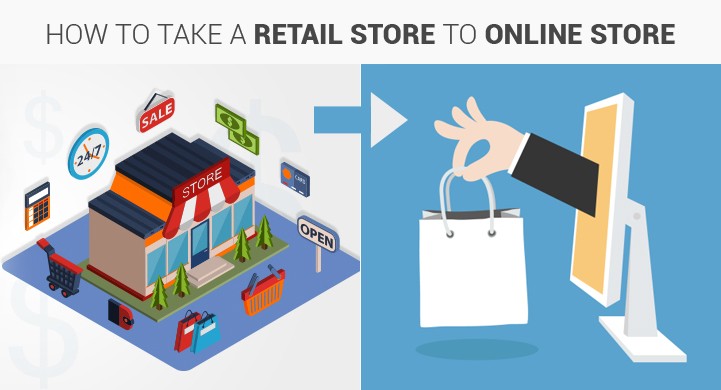
The online and offline worlds have merged and for most brick and mortar retailers, if you’re not selling online yet, you’ve fallen behind the times. More importantly, you’re missing out on sales, profit and many opportunities to reach more people. People will only drive so far to buy something they want but they’ll gladly wait a day or two if they can order it online and have the item come right to them. Those are the customers you’re missing out on by staying off the web.
Brick and mortar stores have their place and likely, they always will, even as times change. However, the space for online selling is only continuing to expand. In other words, if you’ve been thinking of taking your store online, you should and now is the time to do it.
But how do you begin? The good news is, your business is already established. You know your products. You know what’s worked and what hasn’t in your store. You also know the kinds of customers you attract. You have a huge advantage when you compare yourself to anyone opening an ecommerce store for the first time. The truth is, fundamentally, you already know what you’re doing. You just need to transfer that knowledge and experience to a new format. So, this article will cover the key things to keep in mind if you’re ready to take your business online.
1. Figure out what products you’re going to sell. Think about shipping.
Now you’re probably thinking, “All of them.” But that might not be the way to go. In fact, it’s probably best to start small and continue to add more and more products or categories to your online store as you get a feel for what works online and what you can handle. So to start, as you review your inventory, consider any shipping complications for each item – weight, fragility, time-sensitivity, etc. If something would be difficult or very expensive to ship, it might be best to leave it off your list.
2. Write product descriptions and take photos.
Once you have your list, your next step is going to be getting started on product descriptions. Remember, in a store, people can see and touch your products. Online, customers can only rely on photos, videos, reviews or descriptions. The more you can show and tell about your products online, the more likely you are to sell them. This part can be time consuming but it might be one of the most valuable things you can do to prepare for your online store.
For the images, you might be able to get some high quality images from the product manufacturers. But if that is not possible, it’s worth investing in a good camera or a professional photographer. The better your products look, the better they’ll sell. The more images you can provide, the better. Show your products from all angles so anyone relying on photos will know exactly what to expect.
3. Consult with an expert. Have your questions ready.
It’s true that there are “free” and do-it-yourself website tools out there. However, these tools often lead to missed steps and missed opportunities. They’re not bad products but they offer a cookie-cutter approach that often leads to running two separate businesses. If you have an offline store and an online store, the best thing you can do is integrate them so they run together seamlessly. So it’s best to talk to a real person who knows the steps you need to take to launch a successful online business that’s connected to your brick and mortar store. ioVista has been helping retailers take their stores online for more than a decade. Give us a call or send us an email and we’ll be happy to help you get started.
Questions to consider asking:
- How do you integrate your inventory control system?
- How do you integrate your accounting/PoS system?
- How do you automate responses?
- How do you keep your customer’s information secure online?
- What forms of payment can you accept?
- How do you implement shipping costs into your shopping cart?
- What kind of marketing should you do online? Social, paid ads, email?
- How will people find your store online/how do you get online customers?
- What eCommerce platform is best for your business?
- Will your website work on mobile devices (very important)?
- How will your online store match your brand/retail store?
4. Get started.
There’s no time like the present. If you feel reluctant over the cost, that’s normal for any business owner. But the fact is, you stand to make more money in the long run if you go online and the monthly costs of an online store are far less than your retail location.
If you feel reluctant because you’re unsure of the online world, that shouldn’t stop you either. It can seem complicated but it’s really not and you’re already an expert on your business. You’ll have your online store figured out in no time! Especially if you hire an expert to help you navigate all the twists and turns before your launch.
So think about what products you want to sell and give us a call! We’ll help you get your store up and running and you’ll wonder why you didn’t do this sooner.
Mike Patel

Mike Patel is the Founder and CEO of ioVista, a leading digital commerce agency specializing in eCommerce solutions. With a strong background in business and technology, Mike Patel has been at the forefront of driving digital transformations for businesses. He has successfully navigated the ever-changing landscape of eCommerce, helping companies leverage the power of online platforms to grow their brand, increase revenues, and optimize their digital presence. Under his leadership, ioVista has become a trusted partner with major technology companies: Adobe/Magento, Google, BigCommerce, Shopify, and Yahoo. He is dedicated to staying ahead of industry trends, adopting cutting-edge technologies, and continuously improving strategies to provide clients with a competitive edge. Mike’s commitment to excellence and client satisfaction is evident in every project ioVista undertakes.
Popular Posts
-

-
 E-Commerce
B2B Excellence Starts with Adobe Commerce (Magento) - Not WooCommerce
Mike Patel
03 Jun 2025 -

-

-
 E-Commerce
WooCommerce to BigCommerce Migration Fuels Your B2B eCommerce Growth
Mike Patel
06 May 2025 -

-
 E-Commerce
Leverage ERP Integration to Scale Your B2B eCommerce Business in 2025
Mike Patel
15 Apr 2025 -

-

-

-

-
 E-Commerce
10 Key Drivers of Digital Transformation in B2B eCommerce for 2025
Mike Patel
04 Mar 2025 -
 E-Commerce
5 Leading eCommerce Platforms to Build Scalable B2B Customer Portals
Mike Patel
25 Feb 2025 -

-

-

-
 E-Commerce
What Makes a Great Online B2B Customer Portal? Top 10 Features to Know
Mike Patel
04 Feb 2025 -
 E-Commerce
Legacy B2B eCommerce Systems Slowing You Down? It's Time for Modernization
Mike Patel
28 Jan 2025 -

-

-

-
 E-Commerce
Security Update APSB24-73 for Adobe Commerce: Everything You Need to Know
Mike Patel
14 Oct 2024 -

-

-
 E-Commerce
Hyvä Theme for Magento 2: Uncover Powerful Features – Evaluate Pros and Cons
Mike Patel
16 Jul 2024 -

-

-

-

-

-

-
 E-Commerce
It’s Official: ioVista Has Become a Recognized Adobe Specialized Partner
Mike Patel
05 Sep 2023 -

-

-
 E-Commerce
ioVista Announced as a 2023 Local Excellence Award Winner by UpCity
Mike Patel
09 May 2023 -

-

-

-

-

-

-

-
 E-Commerce
BigCommerce Releases StagingPro for Enterprise Merchants and Agency Developers
Mike Patel
15 Dec 2022 -

-

-
 E-Commerce
Universal Analytics Going Away: What Does it Mean, What you need to Do?
Mike Patel
24 Nov 2022 -
 E-Commerce
40% of Magento and Adobe Commerce Websites at Risk in November 2022
Mike Patel
17 Nov 2022 -
 E-Commerce
Website Support: How Can ioVista Help keep your Store Up and Running During Holidays
Mike Patel
17 Nov 2022 -

-
 E-Commerce
Adobe Releases Critical Security Patches for Magento 2.4.5 and 2.4.4
Mike Patel
27 Oct 2022 -

-

-

-

-

-

-

-
 E-Commerce
How BigCommerce makes it easy for Legacy Businesses to get started with B2B eCommerce
Mike Patel
23 Aug 2022 -
 E-Commerce
The Challenges of eCommerce in Manufacturing and how to Overcome them
Mike Patel
17 Aug 2022 -

-

-

-

-
 E-Commerce
The Growth of eCommerce and its impact on the Manufacturing Industry
Mike Patel
01 Jul 2022 -

-
 E-Commerce
Magento Open Source Vs Commerce Vs Cloud: How to Pick your Edition
Mike Patel
14 Jun 2022 -
 E-Commerce
Is your Store Optimized? How do you Measure eCommerce Conversion Rates?
Mike Patel
11 May 2022 -

-

-
 E-Commerce
BigCommerce Strengthens Its Hold in B2B eCommerce Landscape: Acquires Bundle B2B
Mike Patel
27 Apr 2022 -

-

-
 E-Commerce
BigCommerce Releases Multi-Storefront: Multiple Brand Management within a Single Store
Mike Patel
01 Apr 2022 -
 E-Commerce
Adobe Commerce and Magento 1 Sites at Risk: Magento Vulnerabilities Exploited
Mike Patel
29 Mar 2022 -

-
 E-Commerce
ioVista named as Dallas’ most Recommended and Reviewed Digital Strategy Companies 2022
Mike Patel
24 Feb 2022 -

-

-
 E-Commerce
Progressive Web App: A well-established Approach to Architecting a Modern Website
Mike Patel
11 Feb 2022 -

-
 E-Commerce
How to Improve Internal Site Search for Better Mobile Conversions: 7 Proven Strategies
Mike Patel
27 Jan 2022 -
 E-Commerce
The How & Why: Successful Data-Driven Marketing for eCommerce Stores
Mike Patel
13 Jan 2022 -

-

-

-
 E-Commerce
Are Your FB, Instagram, Pinterest Accounts Geared for Social Shopping?
Mike Patel
30 Nov 2021 -

-

-

-

-
 E-Commerce
How Augmented Reality can Deliver more Engaging Shopping Experiences
Mike Patel
21 Sep 2021 -
 E-Commerce
These 5 Local Business Marketing Strategies Will Transform Your Business
Mike Patel
17 Sep 2021 -

-

-

-





Let’s work together to create outstanding digital experiences.
With 20+ years of industry experience, ioVista understands your eCommerce needs and delivers best-in-class solutions that help you gain a competitive edge.
or Call us at: +1 214-699-4391

TOP
Get in Touch