


Best Practices To Follow For Ecommerce Platform Migration
16 Jul 2019
 Mike Patel
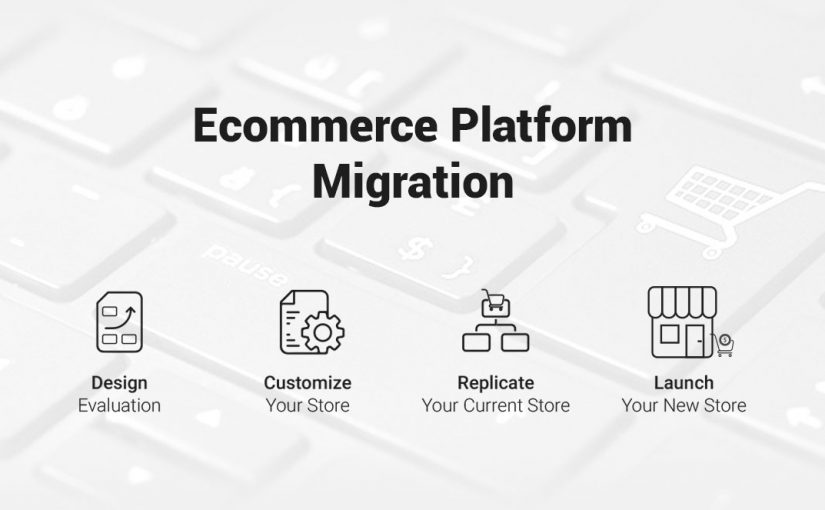
If you have an online business, you know that there are several elements you need to worry about to keep that business thriving. You need to increase traffic, maintain sales, get new customers and have a professional platform to host your business on. All of these elements contribute to having a successful online business, but the platform you choose is what keeps the entire show running.
It’s important to keep your eCommerce platform evolving. To help your business grow, your platform needs to be the most up-to-date version, and it needs to be scalable for your brand. Sometimes, you may even need to change your platform altogether, and go with different software. As an online business owner, changing your eCommerce platform can be a hassle. It’s a lot to worry about because you will have to re-do work you’ve already done when you initially set up your business. In this article, we put together some easy steps that will simplify your Ecommerce platform migration and will make the process a whole lot easier for you.
- Design Evaluation
Before you do anything, you need to evaluate your store’s design and understand the requirements for your new store on the new platform. Some business owners like to use the exact design they had on their previous platform, and want to recreate that on the new platform. Others like to use a pre-built theme from the new platform’s marketplace.
Some owners are hesitant to make a change in their design because they think it will drive customers away. However, having a new design has quite the opposite effect. A new design tends to draw customers in and invites them to check out your website even further than they normally would. Customers will click around and want to see how everything looks. Having a new design will ultimately drive more conversions and help you to be more successful.
If you think you want to use a pre-built theme from the platform’s theme store, you will save yourself some time. These designs have myriad styles and can speed up the platform changeover process. However, there are some pros and cons to using a pre-built theme.
Pros:
• Reduced cost
You won’t have to spend a lot of money or time if you choose a pre-built design. Although it won’t be your original work, it will still look nice and will be quick and cost-efficient.
• Faster deployment
You will be able to deploy your site a lot faster.
• Quality assurance
All of these pre-built themes have been reviewed again and again before being offered to customers like you. So, you can be confident that it’s a great theme and overall design.
Cons:
• Time Consuming Customization
These pre-built themes take a lot of your time to customize them to look the way you want when you browse through them.
• Extensions Required for Added Features
Each pre-built design has a variety of features. So, maybe you like one design, but you also like the features of a different one. You need extensions to utilize the features of both of them.
• Not original
If you choose a pre-built design, chances are that someone else has that same design as well. Having the same design as another store isn’t good for competition. If you’re trying to spark new growth in traffic and sales, having the same design as someone else probably isn’t the best idea.
- Customize Your Store
If you think the pre-built designs will be too limiting for your brand, then, of course, you can create a custom design. This will take more time, energy, and money but it will be original to you and will set your brand apart from others. When people visit your website, they will see your unique design and will be drawn to your brand.
There are both pros and cons to customizing your store. Here are a few:
Pros:
• A custom design will help you grow
While the pre-built themes aren’t made with your marketing and content in mind, your customized design is! Having a custom design will help you to meet your goals and strategize for your brand. It will boost revenue and conversions.
• No coding restrictions
As we previously mentioned, the pre-built themes have limits on what you can and can’t change. They have some coding restrictions, which can limit what you do with your site. Your customized store won’t have any of these restrictions and will give you a lot more freedom.
• Reduce extensions or apps
The pre-built themes don’t allow you to extend certain functions without having performance issues. With your customized design, this won’t be the case. You can reduce extensions on the frontend, and significantly reduce the loading time of your store. You will reduce costs and increase the number of customers!
Cons:
• Customizing will take up a lot of your time
Coming up with your design will require extensive work and development. It’s very time consuming and should not be taken lightly.
• It can be expensive
The more customizing you do, the more it’s going to cost. But honestly, if you care about your brand, then you should invest in it. The monetary value can never compare to the value of all your hard work. If having a customized store means everything to you and your brand, then, by all means, you should do it.
- Replicating Your Current Store
Some people don’t want to change the design of their store when they switch over to a new platform. They want to recreate their original store design, just on the new platform. This can be done, but of course, it will take time and money. For some people, keeping the original store design is important because they feel it signifies their brand and customer appeal.
There are also some pros and cons of replicating your current store.
Pros:
• Customers won’t be confused
Customers have been looking at this design for a while now, so when they see it, they will know exactly who you are. You won’t have to worry about customers not recognizing you.
• It will save some time
Because this design is already existing, all you need to do is copy it. This won’t take nearly as much time as creating a whole new design would.
Cons:
• Same old, same old
Having a new design is never a bad thing. You might not realize that just recreating your current design might hold your brand back from new creativity and growth.
• It will still be expensive
Using your current design means that you will still have to customize it on your new platform. It won’t be as cheap as using one of the pre-built designs. You will have to start from scratch and spend the money you did initially creating the design.
- Content Creation
After you decide on your design, you will need to work on your content creation for the new platform. You need to decide what content should be migrated over, and what additional content needs to be created. Some revisions will have to be made, and some content may need to be removed once it makes its way to the new platform. You never know what could be in store when it comes to content creation!
There are two main things you need to do for the content of your store. You need to create a sitemap and you need to create a content inventory list. Here’s how!
- Generating A Sitemap
Your sitemap is the very beginning of your content migration process. Your sitemap is an overview of the content that you currently have in your store. In other words, a sitemap is a list of associated URLs of a website’s primary domain. When you switch over to a new platform you will have to create two sitemaps; one for the current store, and one for the new one.
- Content Inventory
Content inventory will allow you to track all of the critical pieces of data that are associated with your current platform. These data pieces are elements like URLs, SEO data, permalinks, meta information, and status. Keeping track of this data will ensure that the new platform won’t harm your SEO.
- Time To Launch Your Store!
After all of these elements are complete, it’s time to launch! Before you launch, you should run a couple of tests to make sure that everything is good to go. You should do a cross-browser check to ensure that your site runs smoothly on all devices. You should also do an on-page search engine optimization test to make sure it looks great and there are no glitches. Then, you can go ahead and launch, and enjoy a job well done!
Mike Patel

Mike Patel is the Founder and CEO of ioVista, a leading digital commerce agency specializing in eCommerce solutions. With a strong background in business and technology, Mike Patel has been at the forefront of driving digital transformations for businesses. He has successfully navigated the ever-changing landscape of eCommerce, helping companies leverage the power of online platforms to grow their brand, increase revenues, and optimize their digital presence. Under his leadership, ioVista has become a trusted partner with major technology companies: Adobe/Magento, Google, BigCommerce, Shopify, and Yahoo. He is dedicated to staying ahead of industry trends, adopting cutting-edge technologies, and continuously improving strategies to provide clients with a competitive edge. Mike’s commitment to excellence and client satisfaction is evident in every project ioVista undertakes.
Popular Posts
-

-
 Magento
B2B Excellence Starts with Adobe Commerce (Magento) - Not WooCommerce
Mike Patel
03 Jun 2025 -

-

-

-

-
 Magento
Leverage ERP Integration to Scale Your B2B eCommerce Business in 2025
Mike Patel
15 Apr 2025 -

-

-

-

-

-

-

-

-

-
 Magento
What Makes a Great Online B2B Customer Portal? Top 10 Features to Know
Mike Patel
04 Feb 2025 -
 Magento
Legacy B2B eCommerce Systems Slowing You Down? It's Time for Modernization
Mike Patel
28 Jan 2025 -

-

-

-
 Magento
Security Update APSB24-73 for Adobe Commerce: Everything You Need to Know
Mike Patel
14 Oct 2024 -

-

-
 Magento
Hyvä Theme for Magento 2: Uncover Powerful Features – Evaluate Pros and Cons
Mike Patel
16 Jul 2024 -

-

-

-

-

-

-
 Magento
It’s Official: ioVista Has Become a Recognized Adobe Specialized Partner
Mike Patel
05 Sep 2023 -

-

-

-

-

-

-

-

-

-

-
 Magento
BigCommerce Releases StagingPro for Enterprise Merchants and Agency Developers
Mike Patel
15 Dec 2022 -

-

-
 Magento
Universal Analytics Going Away: What Does it Mean, What you need to Do?
Mike Patel
24 Nov 2022 -

-
 Magento
Website Support: How Can ioVista Help keep your Store Up and Running During Holidays
Mike Patel
17 Nov 2022 -

-

-

-

-

-

-

-

-

-
 Magento
How BigCommerce makes it easy for Legacy Businesses to get started with B2B eCommerce
Mike Patel
23 Aug 2022 -
 Magento
The Challenges of eCommerce in Manufacturing and how to Overcome them
Mike Patel
17 Aug 2022 -

-

-

-

-

-

-

-
 Magento
Is your Store Optimized? How do you Measure eCommerce Conversion Rates?
Mike Patel
11 May 2022 -

-

-
 Magento
BigCommerce Strengthens Its Hold in B2B eCommerce Landscape: Acquires Bundle B2B
Mike Patel
27 Apr 2022 -

-

-
 Magento
BigCommerce Releases Multi-Storefront: Multiple Brand Management within a Single Store
Mike Patel
01 Apr 2022 -
 Magento
Adobe Commerce and Magento 1 Sites at Risk: Magento Vulnerabilities Exploited
Mike Patel
29 Mar 2022 -

-
 Magento
ioVista named as Dallas’ most Recommended and Reviewed Digital Strategy Companies 2022
Mike Patel
24 Feb 2022 -

-

-
 Magento
Progressive Web App: A well-established Approach to Architecting a Modern Website
Mike Patel
11 Feb 2022 -

-
 Magento
How to Improve Internal Site Search for Better Mobile Conversions: 7 Proven Strategies
Mike Patel
27 Jan 2022 -

-

-

-

-
 Magento
Are Your FB, Instagram, Pinterest Accounts Geared for Social Shopping?
Mike Patel
30 Nov 2021 -

-

-

-

-

-
 Magento
These 5 Local Business Marketing Strategies Will Transform Your Business
Mike Patel
17 Sep 2021 -

-

-

-





Let’s work together to create outstanding digital experiences.
With 20+ years of industry experience, ioVista understands your eCommerce needs and delivers best-in-class solutions that help you gain a competitive edge.
or Call us at: +1 214-699-4391

TOP
Get in Touch